How to use Apple Foundation Models without them making things up
Senba hands back proof, not praise. Here is the architecture underneath it: a hand-authored prompt corpus, a retrieval layer that picks the evidence, and an on-device model that only writes the copy — never chooses the facts.
To use Apple’s Foundation Models without them making things up, don’t let the model choose the facts. Have ordinary code pick what the user should see, hand the model only that material, and ask it to write the sentence around it. Then check every output against its sources before it ships, and fall back to a line you wrote by hand when the check fails or the model isn’t available.
That’s how our journaling app Senba works, using only the default on-device model. It shipped on the roughly 3B-parameter model in iOS 26. As of iOS 27 the newest iPhones get a larger one, and the rules haven’t changed, because the model under you now differs by OS version and by device. First the app, then the code.
Any app can tell you you’re doing great. You walk away with nothing.
We built Senba because we wanted the opposite: a daily ritual that collects the small steps you are already taking toward the things you care about, stores them quietly, and hands them back weeks later as proof you moved. Not a pep talk. A receipt.
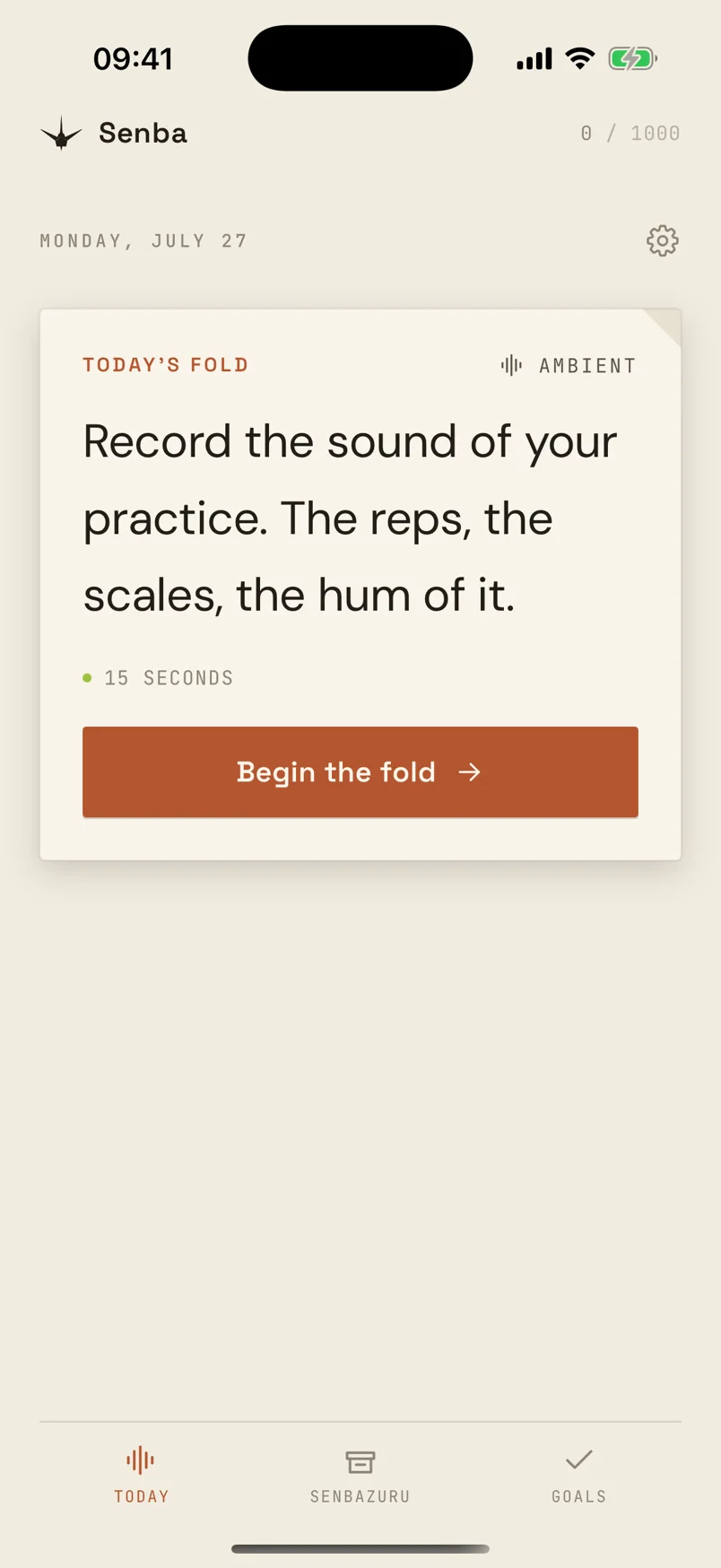
The metaphor is senbazuru, the thousand folded paper cranes. Each daily capture is one fold. The archive is the flock. The wish is the goal you wrote down at the start. Senba does not ask you to journal your feelings into a blank page. It hands you one constrained prompt a day — eight seconds of voice, one photo, one line — and treats each answer as a fold toward something you said you wanted.
Encouragement was the wrong product
The first framing was closer to a wellness app: nudge the user, keep them motivated, say the encouraging thing at the right moment. That is the category Senba would have landed in, and the category we did not want to ship into.
The research we kept coming back to is simple. People who believe they can achieve something are more likely to do it, and the strongest source of that belief is your own track record — mastery experiences — not someone telling you you’re great. Affirmation is cheap because it does not require the app to know anything about you. Proof requires memory.
So the product became a loop with two halves. Capture has to feel good enough that you actually do it. A constraint beats a blank page. A voice note or a photo beats a text field. Fresh prompts beat the same question every day. Resurfacing is why the app exists: your own past material, returned when it can land.
Those halves need different engineering. Capture is craft and a hand-authored prompt corpus. Resurfacing is indexing, retrieval and timing. Apple’s on-device Foundation Models sit in a narrow band between them. They polish copy and suggest next steps. They do not choose what to show you, and they do not invent the prompts.
Four ways Senba hands proof back
Proof is not one screen. It is several mechanisms doing the same job at different scales: making your past self useful to your present self.
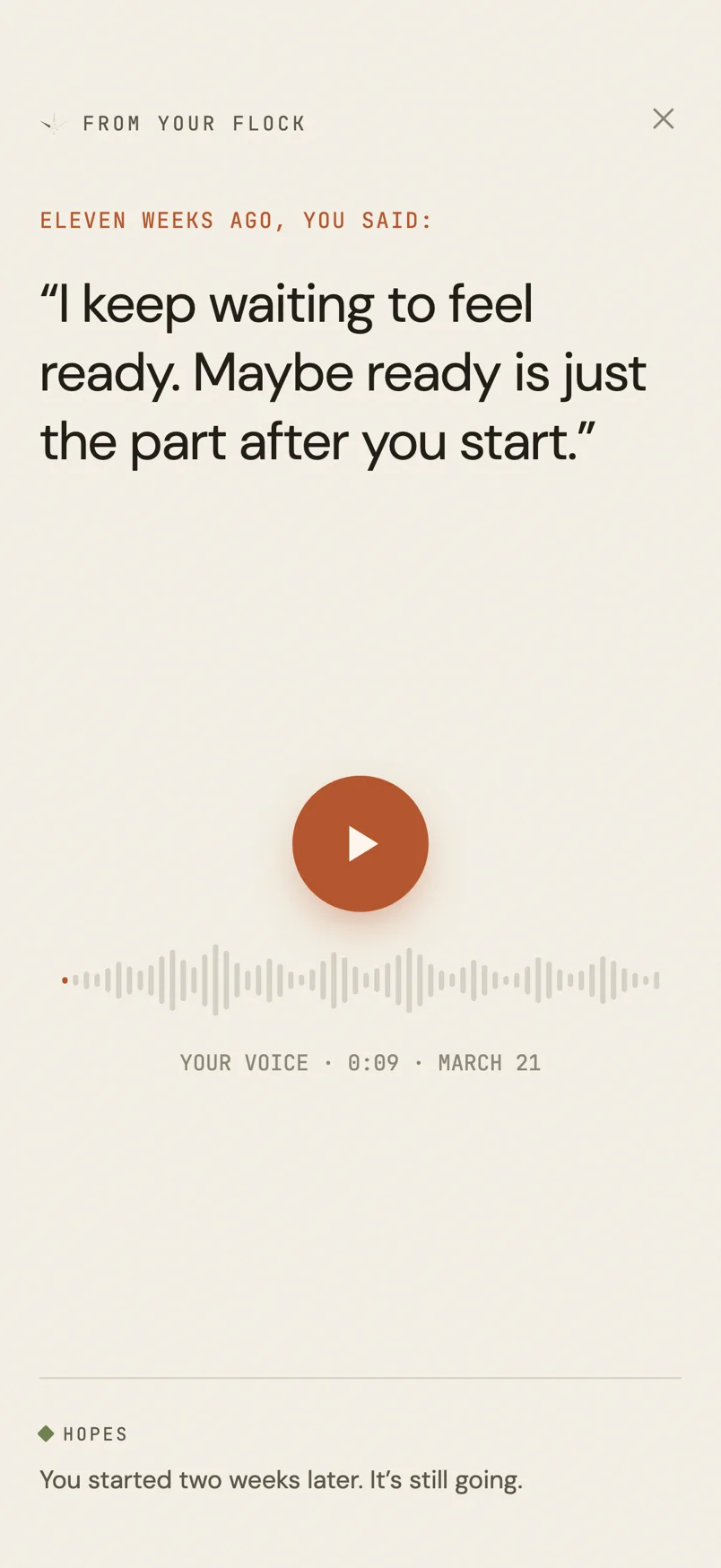
Callbacks resurface an old fold — a voice note you forgot you recorded, a photo with a caption you do not remember writing, a line of text from a thread you were working on months ago. Voice matters most. Hearing your own past voice hits harder than reading it, so audio callbacks are teasers that pull you into the app, while text callbacks can sit on the lock screen on their own.
A callback opens on a line you wrote eleven weeks ago, with your own nine-second recording under the play button, and one line beneath it on the same thread: You started two weeks later. It’s still going. That last line is model-polished notification copy, grounded in dates the retrieval layer actually found. The voice is yours. The dates are yours. The app just holds up the right piece of evidence.
Future-self captures are the same artifact twice. You record a message meant for a later you, and the app delivers it when the cooldown says it is time. Capture and payoff are one object.
Goal steps are the small-movement layer. When you unfold a goal, the on-device model reads your goal text plus your own prior folds toward that goal and suggests three concrete next steps, under 100 characters each, things to do or notice today. You can focus one on the lock screen or save it for later. When you mark a step done, Senba writes a .proof entry: the step text itself, tagged to the goal, indexed like any other fold. That entry feeds everything downstream.
The weld is the strongest version of proof. It puts three things on one screen, all on the same thread: a goal you stated, an old fold that shows you moved on it, and a small dare for today. We ration it to roughly weekly, because a gut punch every day stops being a gut punch.
When it lands, the layout is intentional: the goal at the top (You said you wanted: to finish and actually ship one thing this year), a neon spine, your own voice from five weeks ago offered as proof (Shipped the first piece today), another spine, then today’s dare (Name the next piece out loud. The one you ship by Friday). Three beats — past wish, past evidence, present action. The model did not choose any of those artifacts. Retrieval found the proof entry; the engine picked the dare seed on the same thread. Foundation Models only enter if the notification copy needs polishing before it ships.

Even encouragement in Senba is evidence-shaped. When a goal goes past its horizon the app does not scold. It surfaces the goal with flat copy and, where one exists, names a goal you already finished — your own proof that you close things. The most recent win, because that is the one you can still feel. No generic praise anywhere in the path.
Where the model runs, and where it does not
This split is the architectural decision that made Senba shippable on a roughly 3B-parameter on-device model in iOS 26.
MAY suggest next steps from a goal's own folds
MAY caption photos at index time
MAY NOT author the daily prompt
MAY NOT choose which memory gets surfaced
MAY NOT decide what counts as proof
The model may rewrite notification copy in the app’s voice, grounded in specific retrieved material; suggest next steps toward a goal, grounded in that goal’s folds and completed steps; and caption photos at index time. It is a good editor of a sourced message, and a good writer when you hand it facts.
The model may not author daily prompts from scratch — novelty projects rot into slop dressed as creativity — or act as the librarian. Choosing which past entry to surface is retrieval plus ranking: embeddings, cooldown windows, aging weights toward older and never-surfaced items, thread tags that keep progress legible underneath surface variation. Asking a small on-device model to recall which entries exist will hallucinate them. We wrote the spec that way before there was an implementation, and the implementation kept proving it right.
The daily prompt corpus is 250 hand-authored seeds: 230 daily folds plus 20 goal-specific ones, 51 on the proof thread alone. Each seed records which thread it probes and which capture type it demands. The model personalises notification copy against that structure. It never changes the thread tag, because the tag is what keeps the progress story from drifting.
We also removed the feature that rephrased the daily fold with AI. Early builds let the model remix the seed prompt against your goals. It sounded clever for a week, and then you noticed the prompts getting samey in a different way — the model’s samey, not the author’s. The authored seed ships every day now. What matters is the corpus, not the paraphrase.
On-device inference is availability-gated. When SystemLanguageModel.default is not available, Senba falls back to authored templates and a write-your-own step field. A false rejection is safe. A hallucinated receipt is not.
What Foundation Models actually do in production
Three call sites, all narrow.
Notification copy. At schedule time the app builds a CopyRequest: payload kind, delivery style, the authored template, and grounding snippets — goal text, a line from the entry being surfaced, a completed goal if encouragement is in play. FoundationModelsCopywriter runs guided generation into a typed RewrittenNotification struct, so the model fills a text field instead of emitting “here’s your notification:” preamble. Then validated() runs: a 180-character cap, scaffolding echo rejection, a blocklist for the outward marketing voice the small model regresses into, and a grounding check that the rewrite shares significant words with the material it was told to use.
guard !scaffoldingMarkers.contains(where: lower.contains) else { return nil }
guard !hasOutwardVoice(lower, grounding: grounding) else { return nil }
guard echoesGrounding(text, grounding: grounding) else { return nil }
A rewrite that invents facts gets dropped. The template ships.
Step suggestions. FoundationModelsStepSuggester uses the same pattern: a @Generable struct with a .count(3) guide on the steps array, then GoalStepParsing.clean as a structural backstop. The prompt scopes grounding to folds linked to this goal and completed steps for this goal, not your most recent random photo of a sneaker. That leak was a real bug — unrelated folds made step suggestions confidently wrong.
Indexing. Voice notes transcribe with Speech, photos get on-device captions, and every entry gets a sentence embedding from NLEmbedding for similarity and weld selection. The user never sees this work. It is what lets the app say “you said this on the 12th” instead of showing a graveyard of opaque blobs.
The weld picker itself has no model in the path: cosine similarity over embeddings, thread allowlists, and similarity ceilings to reject paraphrases of the goal. We spent a week blaming Foundation Models for a bad weld before opening the file and finding a max() over vectors. That debugging story is its own post. The point here is simpler — picking proof is not a generation task.
The rules we took out of it
Affirmation alone is worthless. If your encouragement does not cite something the user actually did, you are competing with a notification that costs zero tokens and zero storage.
Separate the librarian from the copywriter. Retrieval is embeddings, cooldowns and explicit rules about what counts as evidence. Generation is rephrasing a retrieved artifact in voice. A small on-device model is good at the second and dangerous at the first.
Small steps have to become proof entries, not checkbox fluff. A completed step that stays inside a task list never feeds a callback or a weld. Senba writes it into the archive as a .proof fold toward the goal, so the resurfacing layer can find it.
Author the novelty, gate the model. Hand-written seeds with thread metadata beat model-authored prompts. Use the model to personalise copy against seeds and goals, not to invent the daily question.
Always check the rewrite against its sources. On a 3B model, assume the output will echo scaffolding, slip into marketing voice or invent facts until proven otherwise. Skip the validators and you ship invented receipts.
Scope the model’s context hard. A suggester that reads your entire journal will sound grounded while citing the wrong life. Filter to the goal’s own folds before you ask for next steps.
It is live
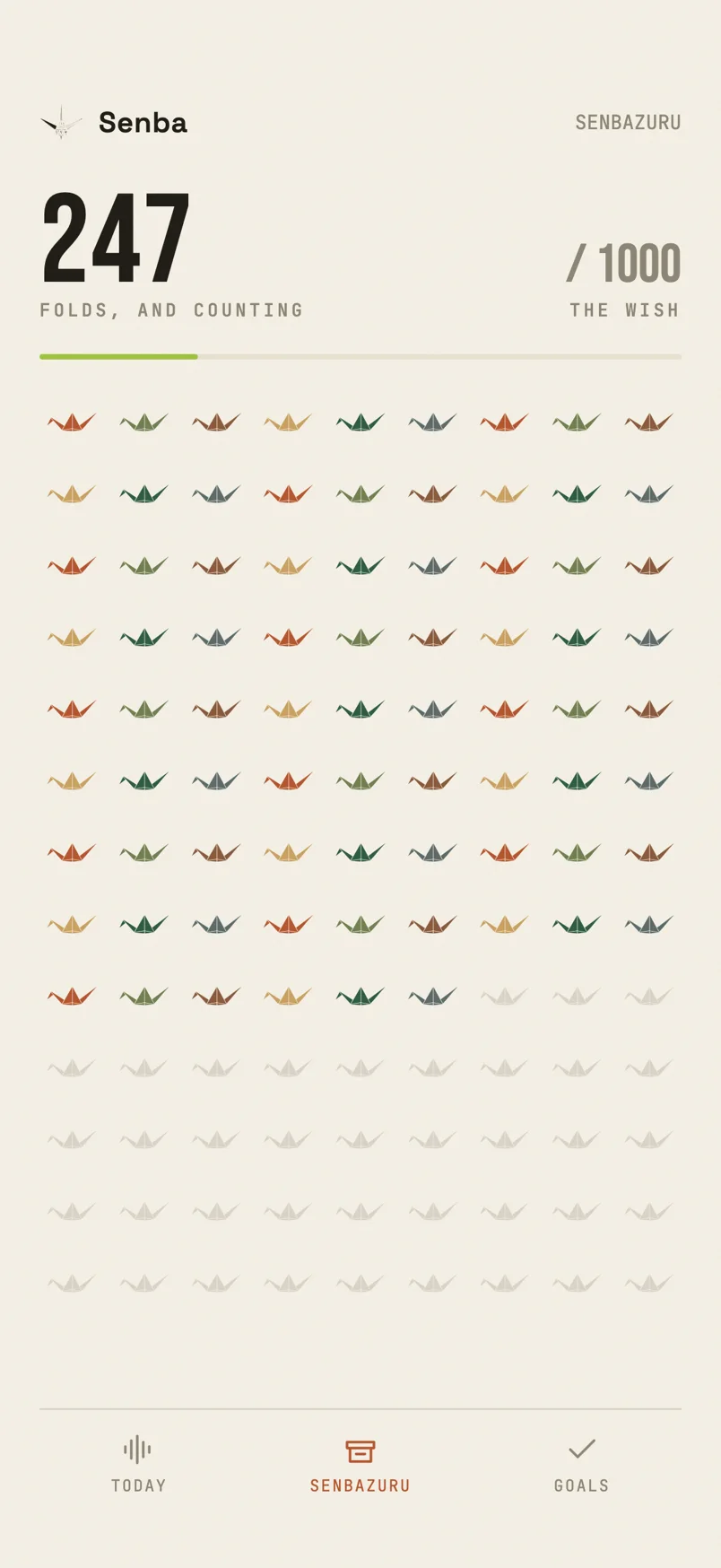
Senba is on the App Store now. We use it daily. The flock tab is the quiet proof that the loop compounds: hundreds of small cranes tinted by thread, each one a capture you actually made, not a streak counter pretending you did.
The moments that work are never the ones where the app cheers you on. They are the ones where your own voice, from a Tuesday you had forgotten, says something you still mean — set against a goal you wrote down, as evidence you are further along than you feel.
FAQ
Does Apple’s Foundation Models framework make things up? Yes, like any language model, and a small one does it more readily. Apple’s own prompt design guidance says not to rely on the on-device model for facts, and to put the information you need into the prompt. It’s good at rewriting, summarising, tagging and pulling structure out of text.
Does guided generation with @Generable stop hallucinations?
No. It guarantees the shape of the answer, a Swift struct with exactly the fields you asked for, so you never have to parse a chatty reply. It says nothing about whether what’s in those fields is true, which is why Senba still checks the text against its sources.
How big is the on-device model’s context window?
4,096 tokens on iOS 26 and on the standard model, which covers prompt, instructions and answer together. On iOS 27, phones with the larger model (iPhone 17 Pro, 17 Pro Max and Air) get about twice that. Since iOS 26.4 you can read contextSize instead of hard-coding a number (Apple’s technote).
What should the app do when Apple Intelligence isn’t available?
Check SystemLanguageModel.default.availability, which tells you whether the device isn’t eligible, Apple Intelligence is switched off, or the model is still downloading. Then ship a path with no model in it from day one. Senba uses hand-written templates and a write-your-own step field.
Does Foundation Models run on the phone or in the cloud?
A plain LanguageModelSession() uses the on-device model. Since iOS 27 the same framework can also call Apple’s Private Cloud Compute or third-party models like Claude and Gemini, but only if the developer opts in. Senba doesn’t. Our explainer on on-device AI covers what that means for privacy.
senba.app has the App Store link.